
See why videos win,
then package yours to match.
- Outlier scoring
- Thumbnail text
- Topic momentum
- AI analysis
- MCP access
Outlier tools stop at which video won. Prepostr reads the thumbnail text, the topics, and the timing behind it, then packages your next upload in your voice.
Read-only YouTube access. Cancel anytime.
By signing in you agree to the Terms of Service and Privacy Policy.
 Product tour video, coming soon
Read-only YouTube access. Built by a talking head creator. Your voice, not AI slop. Cancel anytime. English + Portuguese
Why Prepostr
Every video you post is a bet. Most creators place it on a hunch.
The proof is public. Which videos broke out this week, what text was on their thumbnails, which topics are climbing and which already peaked. Reading that by hand, across every channel in your niche, is a full time job.
So you find out a topic was hot two weeks after the channels you compete with covered it, and you package your own video from memory.
Prepostr reads all of it.
Product tour
Everything Prepostr does, in the order you'll use it
Connect a channel, let Prepostr read your niche, then package every video you post. Here is the full workflow.
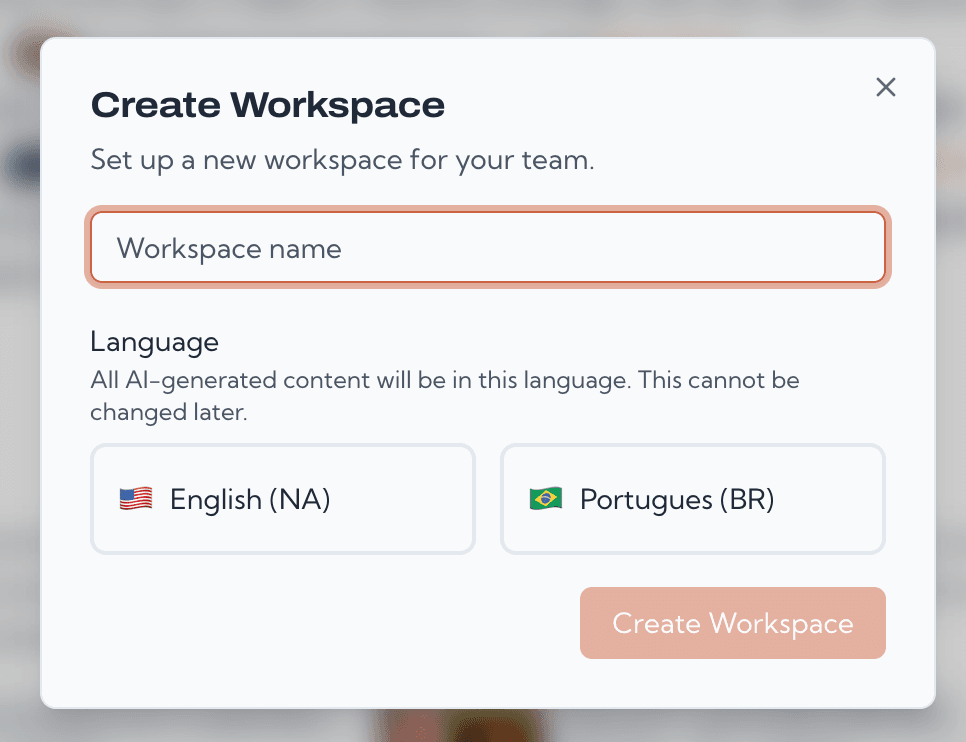
Start with a workspace for each channel
A workspace is one channel and everything around it. Run more than one channel or niche? Give each its own workspace so trends, competitors, and content never mix. Standard includes one workspace, Premium up to three.
- Invite your team with editor or viewer roles, so the person doing thumbnails only touches what you allow.
- Each workspace connects to one YouTube channel, with read-only access.
- Switch between workspaces in a click as you grow.
Add the competitors that define your niche
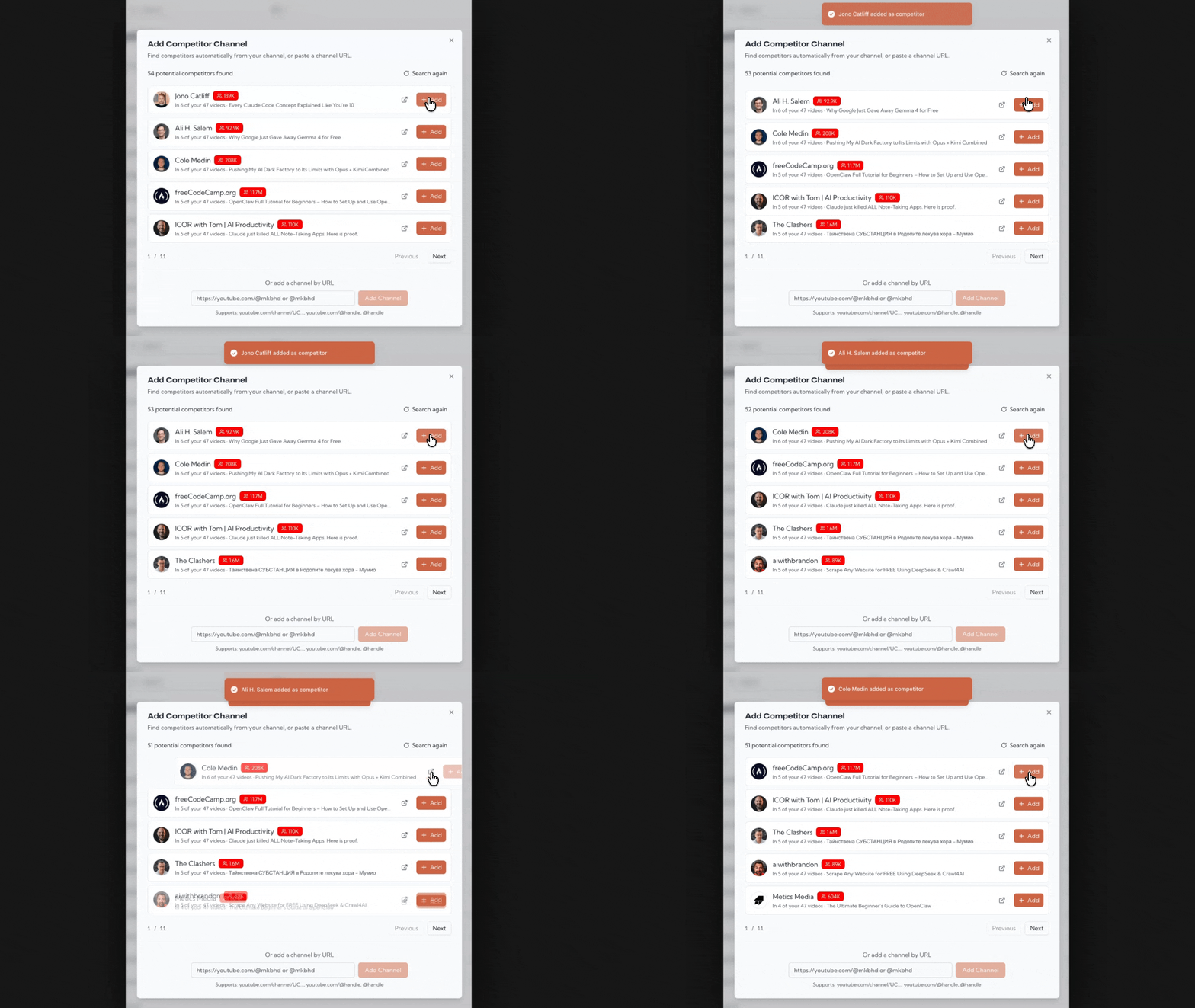
Competitors are how Prepostr learns your niche. Add the channels you watch and Prepostr pulls their recent videos, tracks each channel's average views, and surfaces the topics pulling attention right now.
- Not sure who to add? Let Prepostr find competitors for you, from your own titles and the channels YouTube recommends next to them.
- We keep each competitor's recent videos and stats fresh automatically.
- Auto-discovery is one click, and suggestions arrive as add-with-one-tap cards.
Catch breakout videos before everyone else
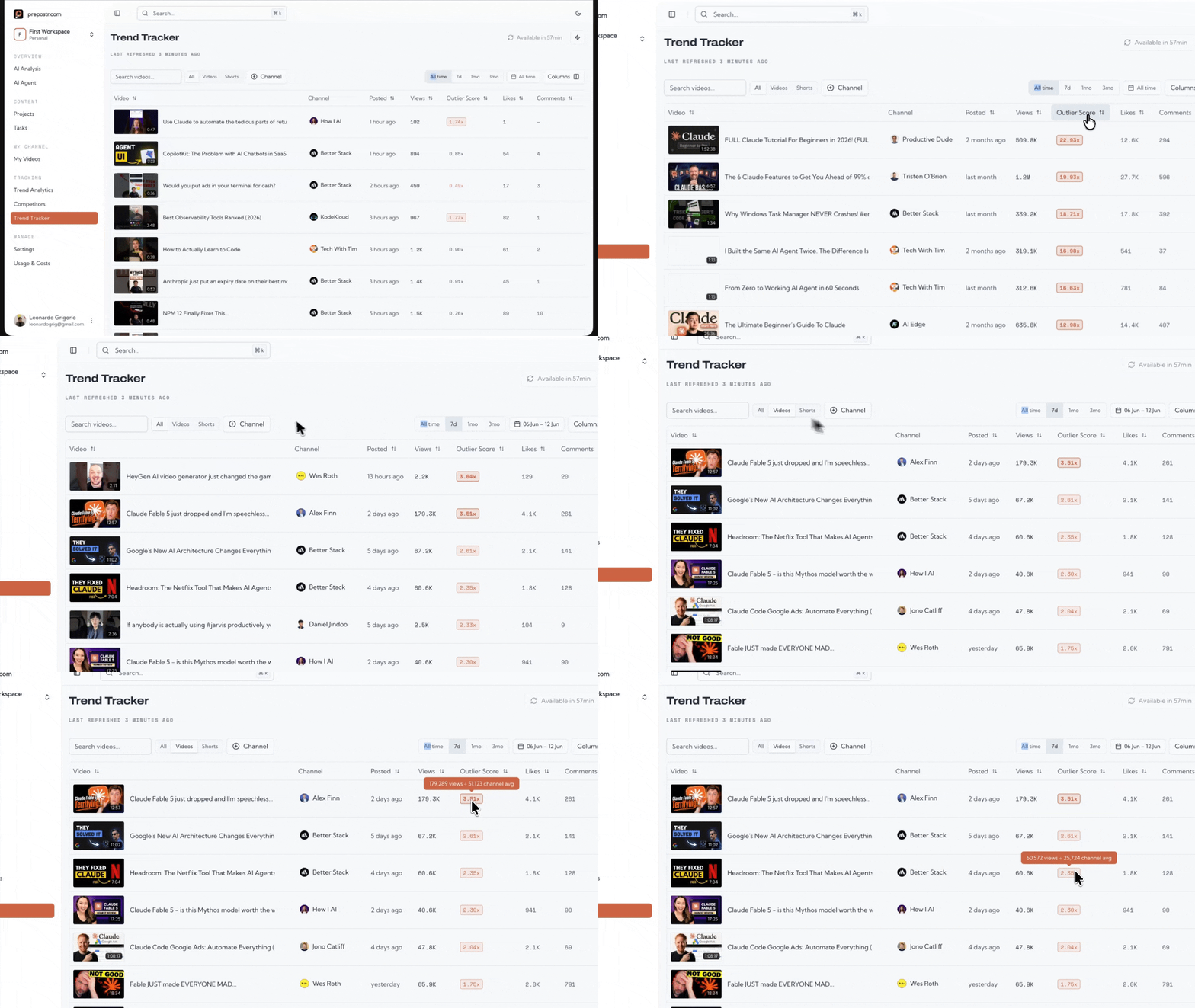
Every competitor video lands in one feed you can filter and sort. Hide shorts, narrow to the last seven days, and order by outlier score to see exactly which topics are breaking out right now.
- A normal score punishes brand new videos. Ours weighs how fast a video climbs against how recently it was posted.
- That means you spot a hot topic in hours, while it is still early enough to act on.
- Filter out shorts, set your window, and sort by outlier score or raw views.
Read your niche by the numbers
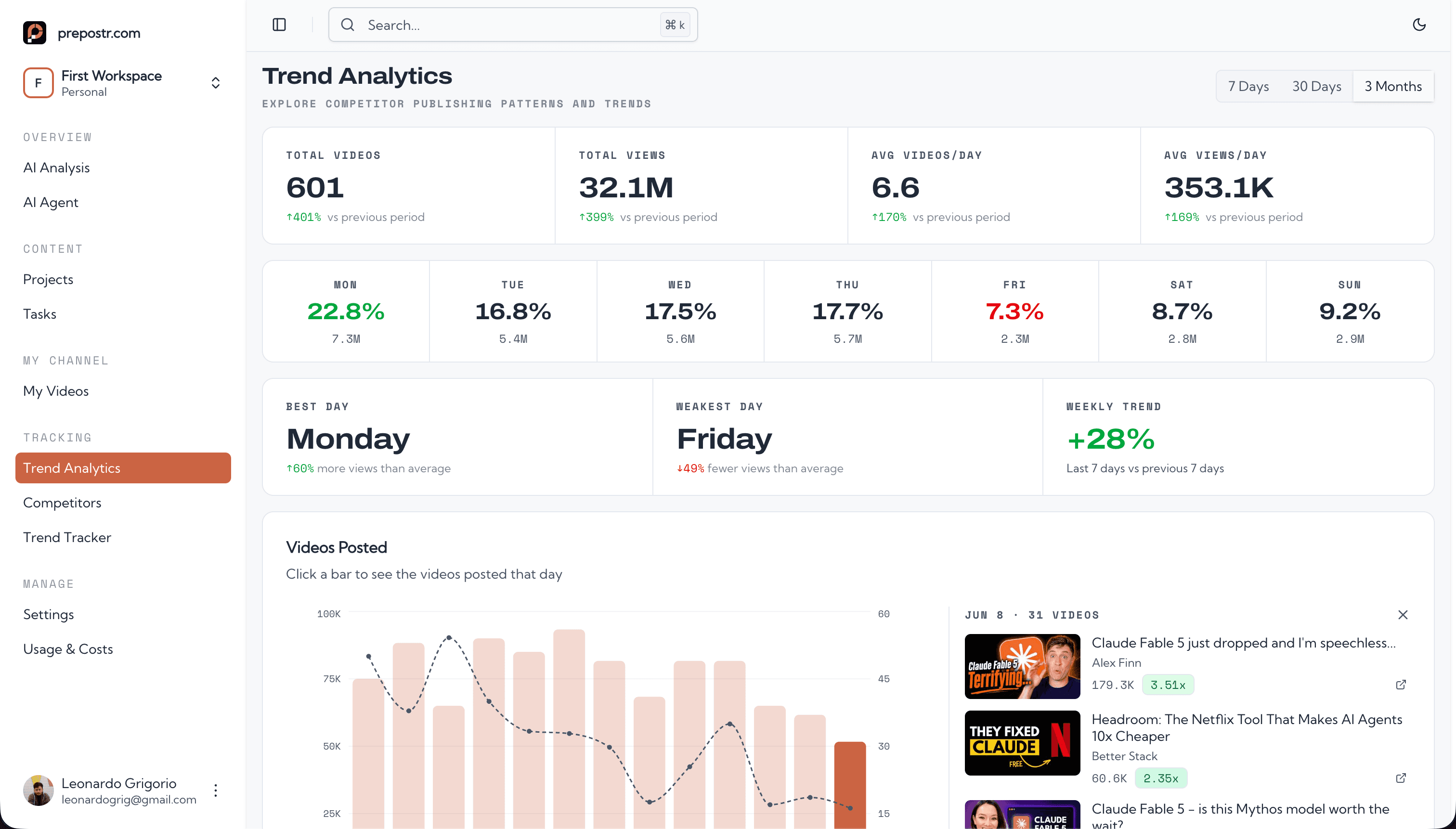
All that competitor data becomes plain numbers you can act on: total views, average views, videos per day, and the days of the week your niche actually gets watched. Same page, deeper down: topic momentum, Shorts against long-form, and a heatmap of the hours that perform best.
- Topic momentum labels every tracked video, then splits your niche into new, breaking out, rising, and cooling against the previous window.
- Filter the window to 7 days, a month, or three months, and drill into every video posted inside it.
- See whether your niche rewards Shorts or long-form right now, and which video lengths win.
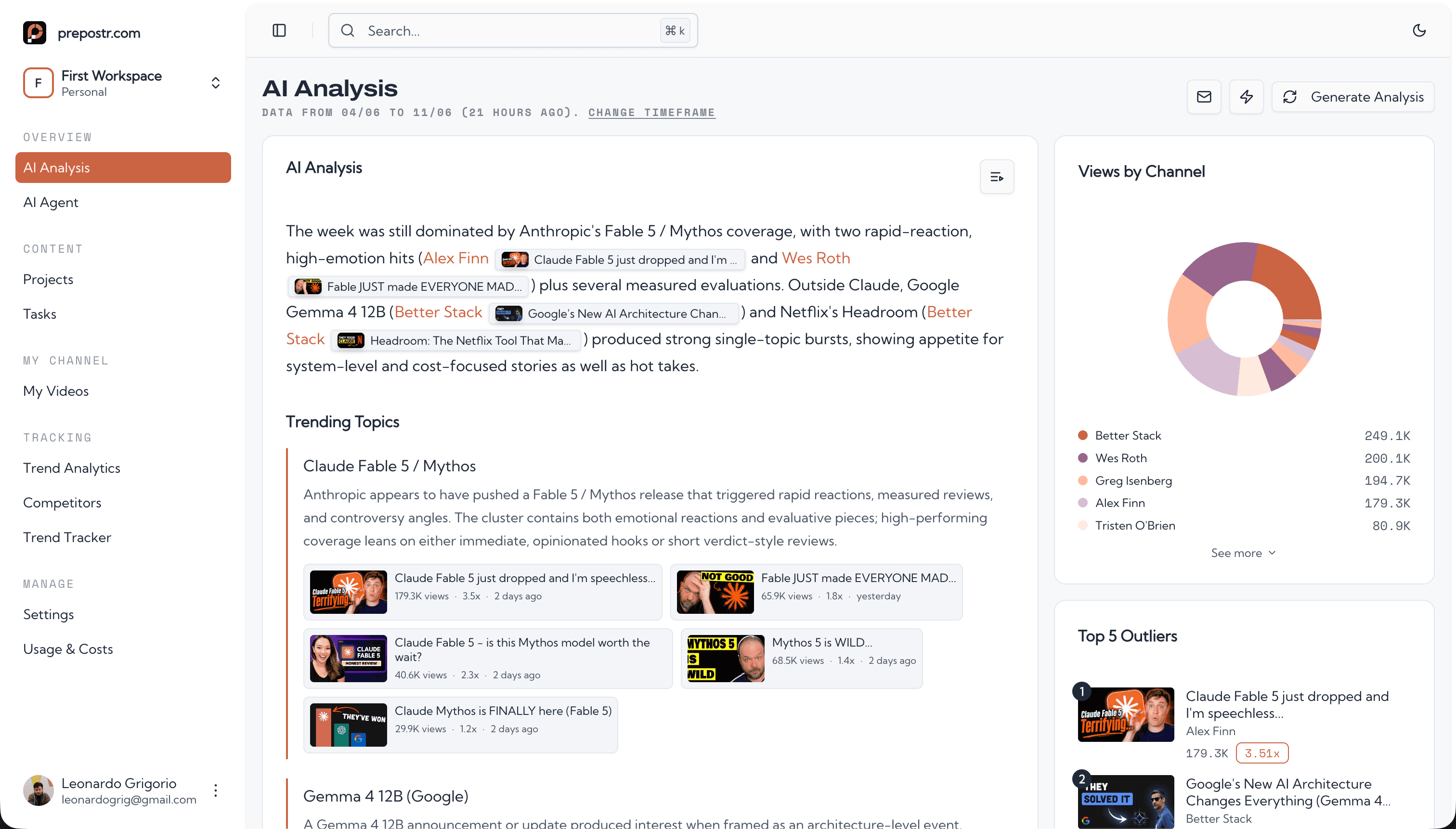
Get an AI analysis that writes your playbook
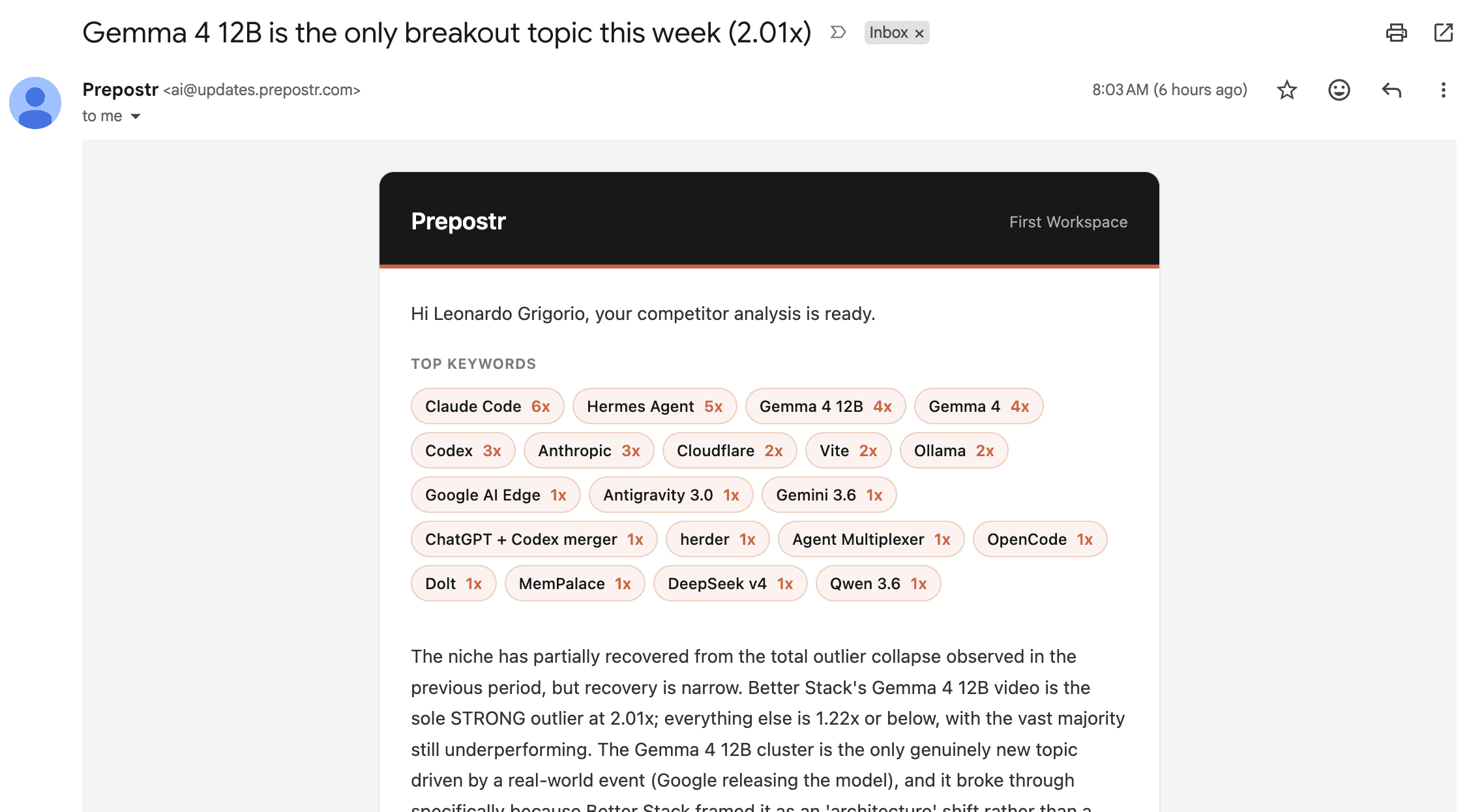
This is where it comes together. Prepostr feeds all your competitor data, both the last week and a three month view, into AI that explains what is changing, what is working, and which topics are gaining traction, with the exact videos, thumbnails, and title patterns behind it.
- It reads title structures and the text printed on winning thumbnails, so you learn the phrasing that earns clicks in your niche.
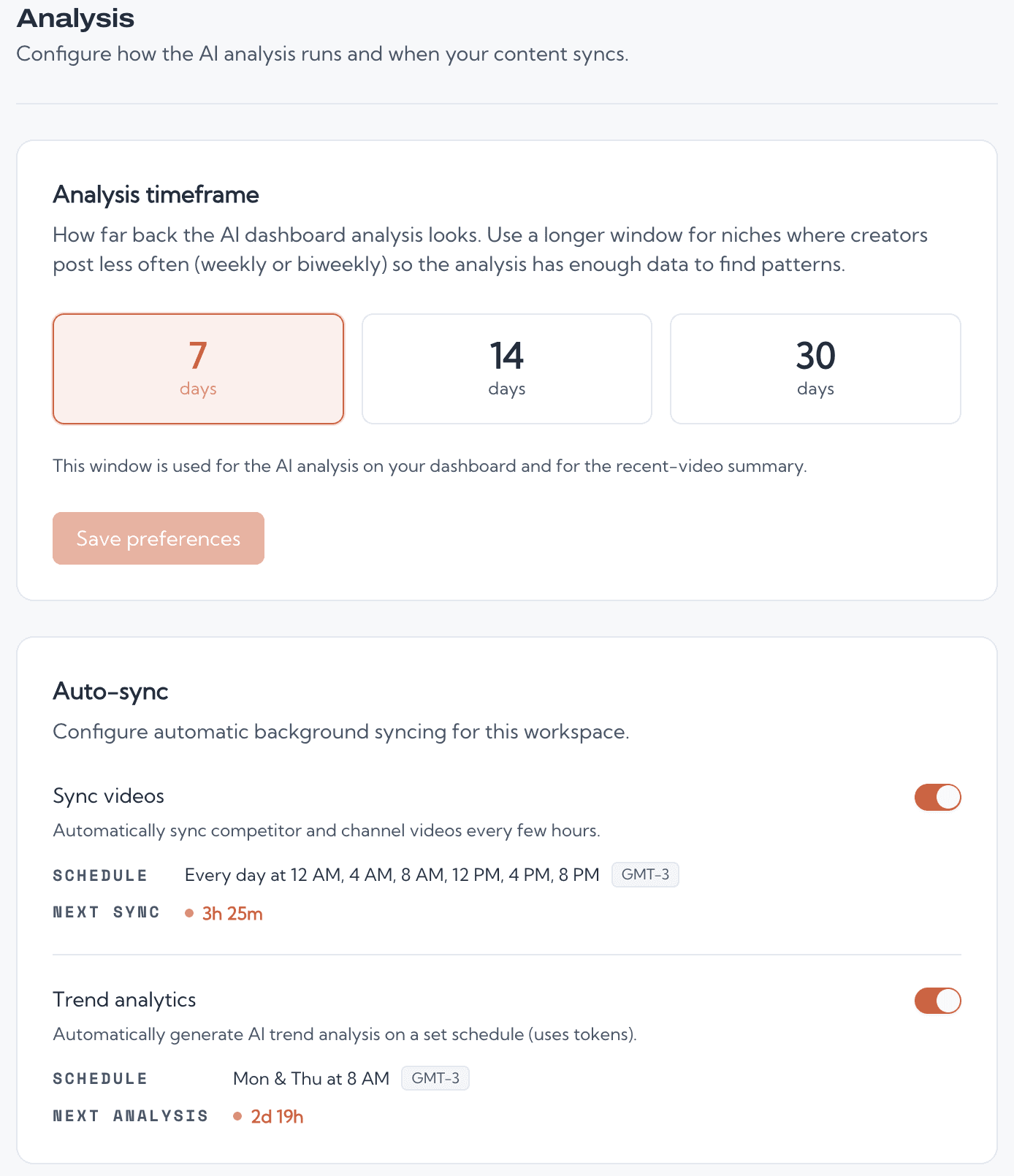
- Tune the analysis window to how your niche posts: tight for fast niches, wider for slow ones.
- The written analysis arrives by email on the weekday you pick, and a competitor breaking out triggers an alert the same day.
Package the video from what you already said
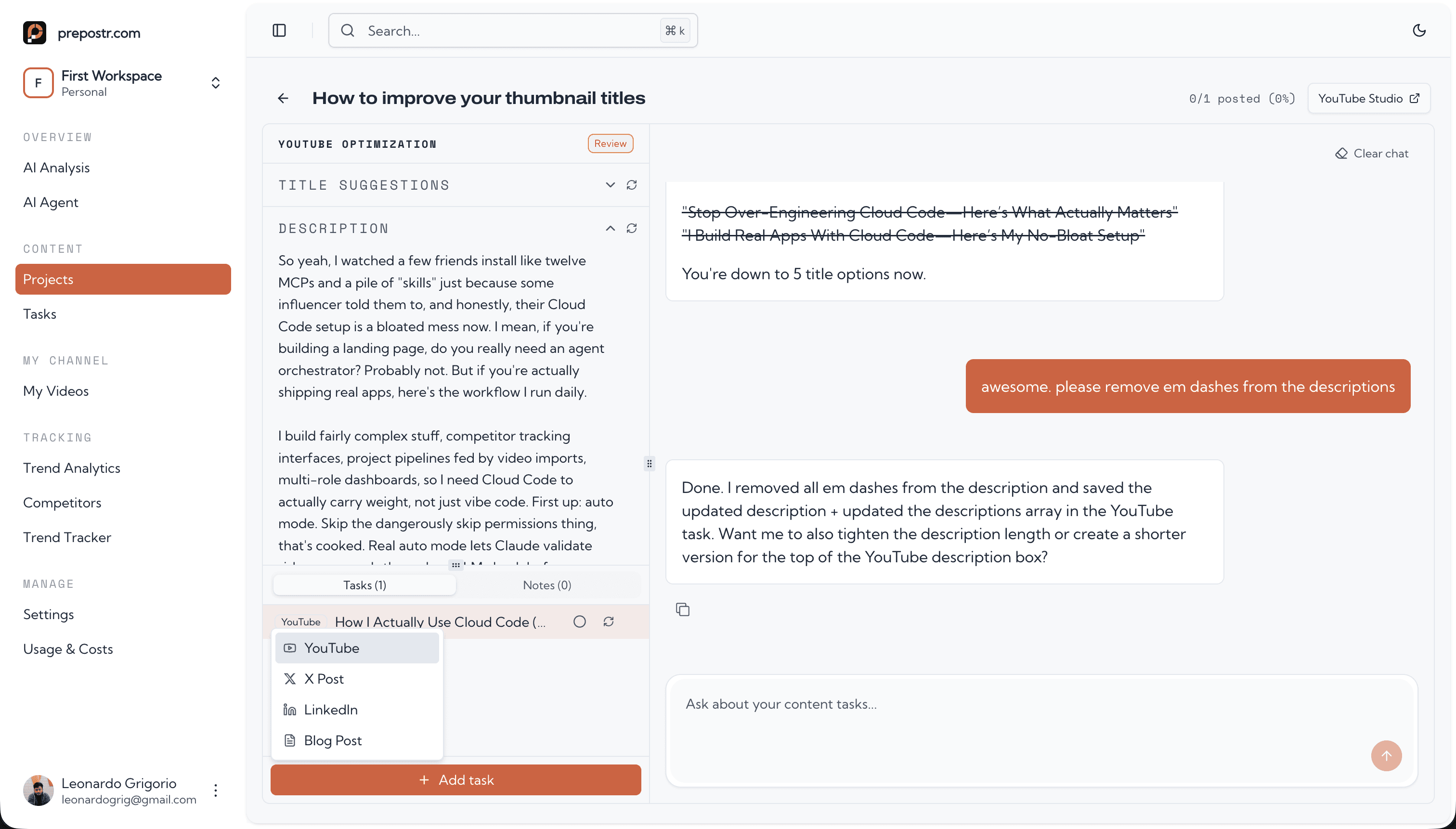
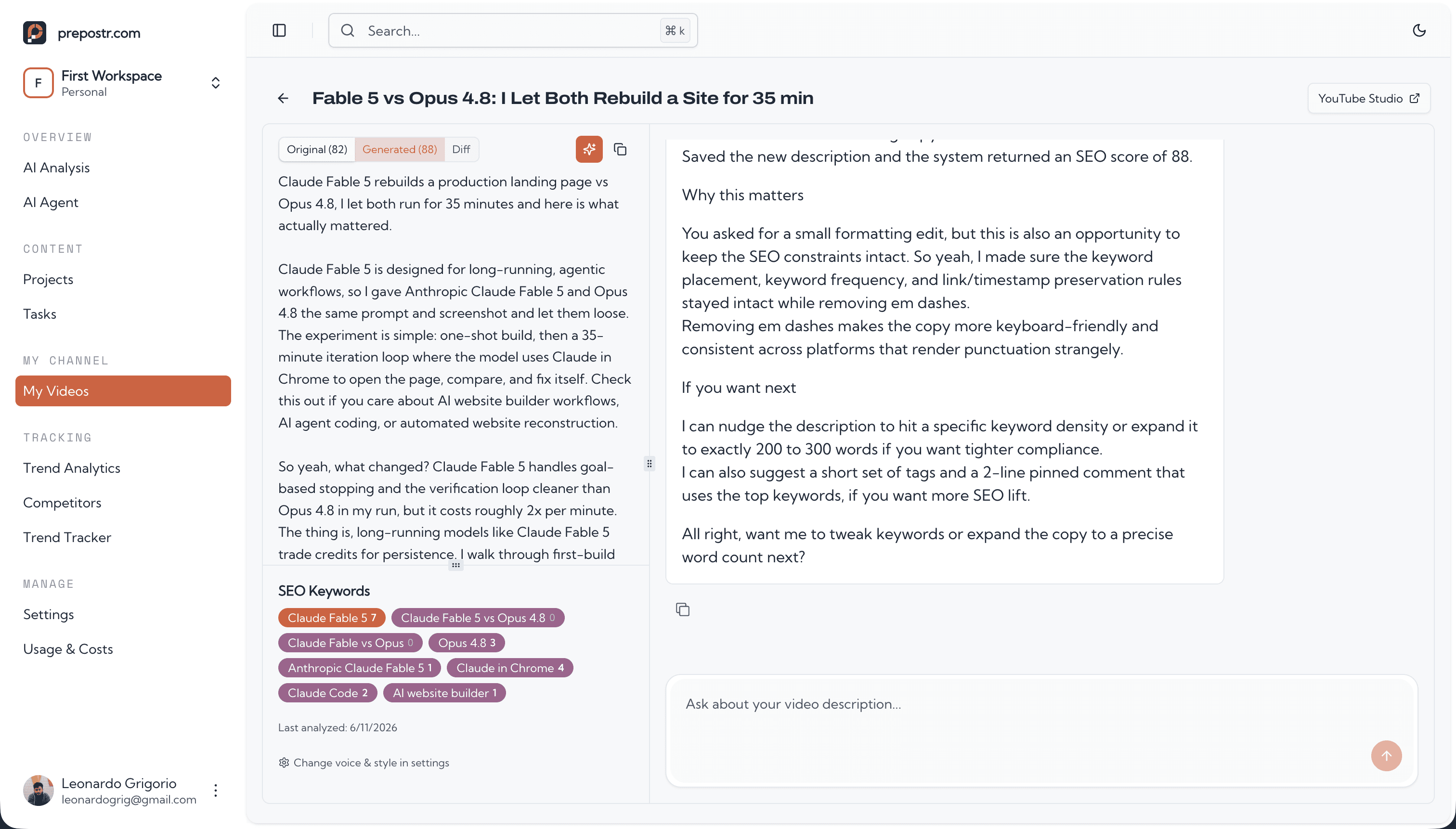
Here is the payoff of talking head video. You post, YouTube transcribes you, and Prepostr reads the whole transcript. Every video on your channel is already there, so you open one and ask: title options, an SEO description, chapter timestamps, and thumbnail text come back written in your voice.
- Your live description, the generated one, and a diff sit side by side, so you see exactly what changed before you pin it.
- Ask in plain language: shorter title, harder hook, different angle. Tell it to remember that style and every video after follows it.
- The same transcript also becomes X posts, a LinkedIn post, and a blog article, kept as drafts until you decide to use them.
Boost old videos and own every word
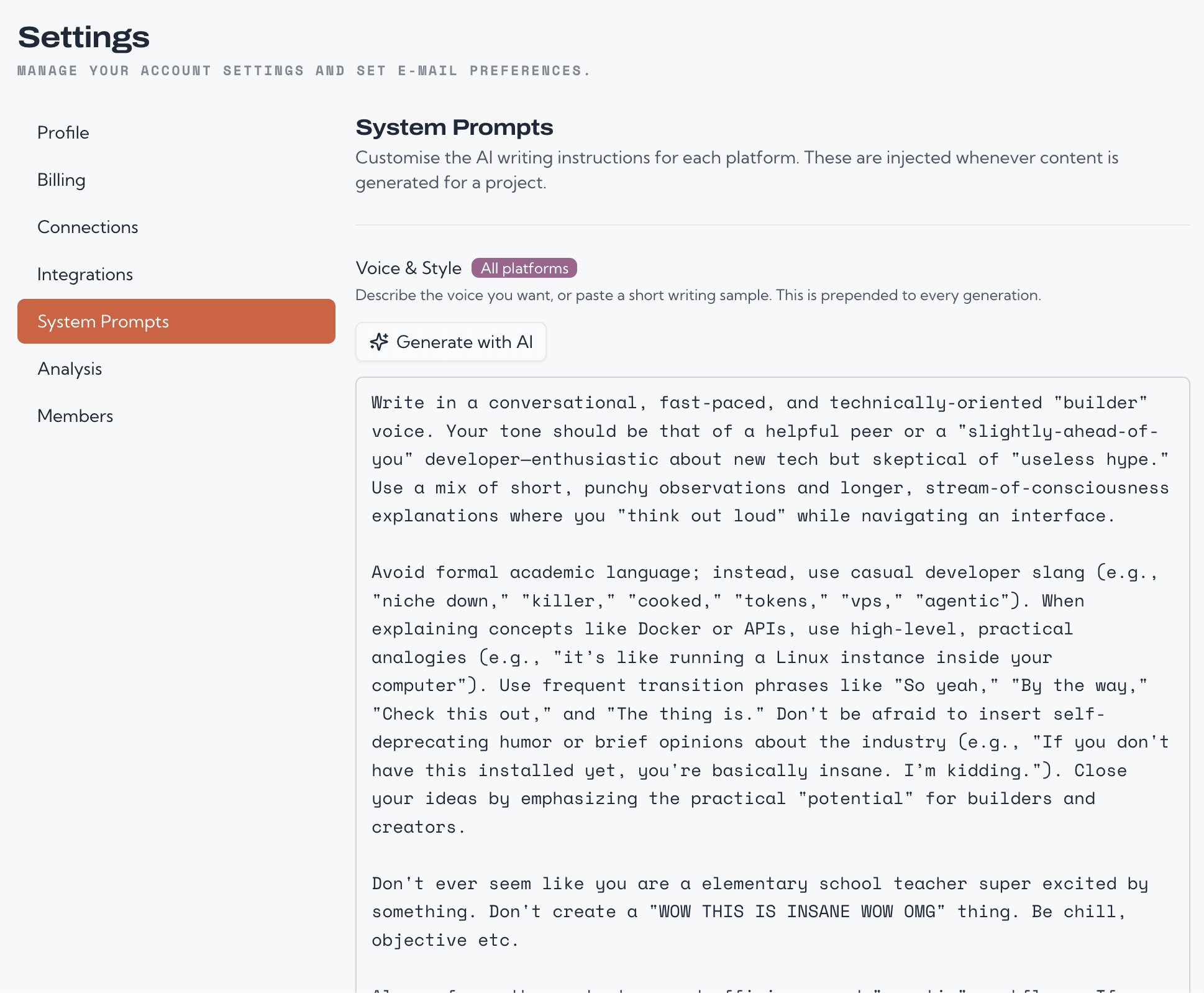
Your back catalog still earns. Prepostr rewrites past video descriptions to hit the keywords the YouTube algorithm rewards, so old uploads keep getting found. And you write the prompts behind every output, per platform, so nothing ever sounds like generic AI.
- Pin the improved description when you are happy with it and track the better SEO score against the original.
- Set per-platform prompts for YouTube, X, LinkedIn, and blog, plus a voice guide generated from your own videos.
- We are not here to flood your channel with AI slop. We are here to help you create faster, in your voice.
Research, then package
The research runs on its own. The packaging takes one ask.
Outlier scoring
Every channel in your niche synced six times a day, with a recency-weighted score that flags a breakout in hours instead of days.
Thumbnail text analysis
A vision model reads the words on the thumbnails that won, so you can see the phrasing your niche actually clicks on.
Topic momentum
Every tracked video is labelled by topic, then charted as new, breaking out, rising, or cooling against the previous window.
Analysis and alerts by email
A written read on what your niche rewards, weekly on the day you pick, plus an alert the moment a competitor breaks out.
Packaging in your voice
Title options, an SEO description, chapters, and thumbnail text, written from your transcript and the research behind it.
Your AI, your workspace
Work in the app chat, or connect Claude, ChatGPT, or any MCP client to the same workspace and its voice guide.
Security
Your channel, your control
We built Prepostr the way we'd want it as creators: with the least invasive YouTube integration possible.
- Read-only access
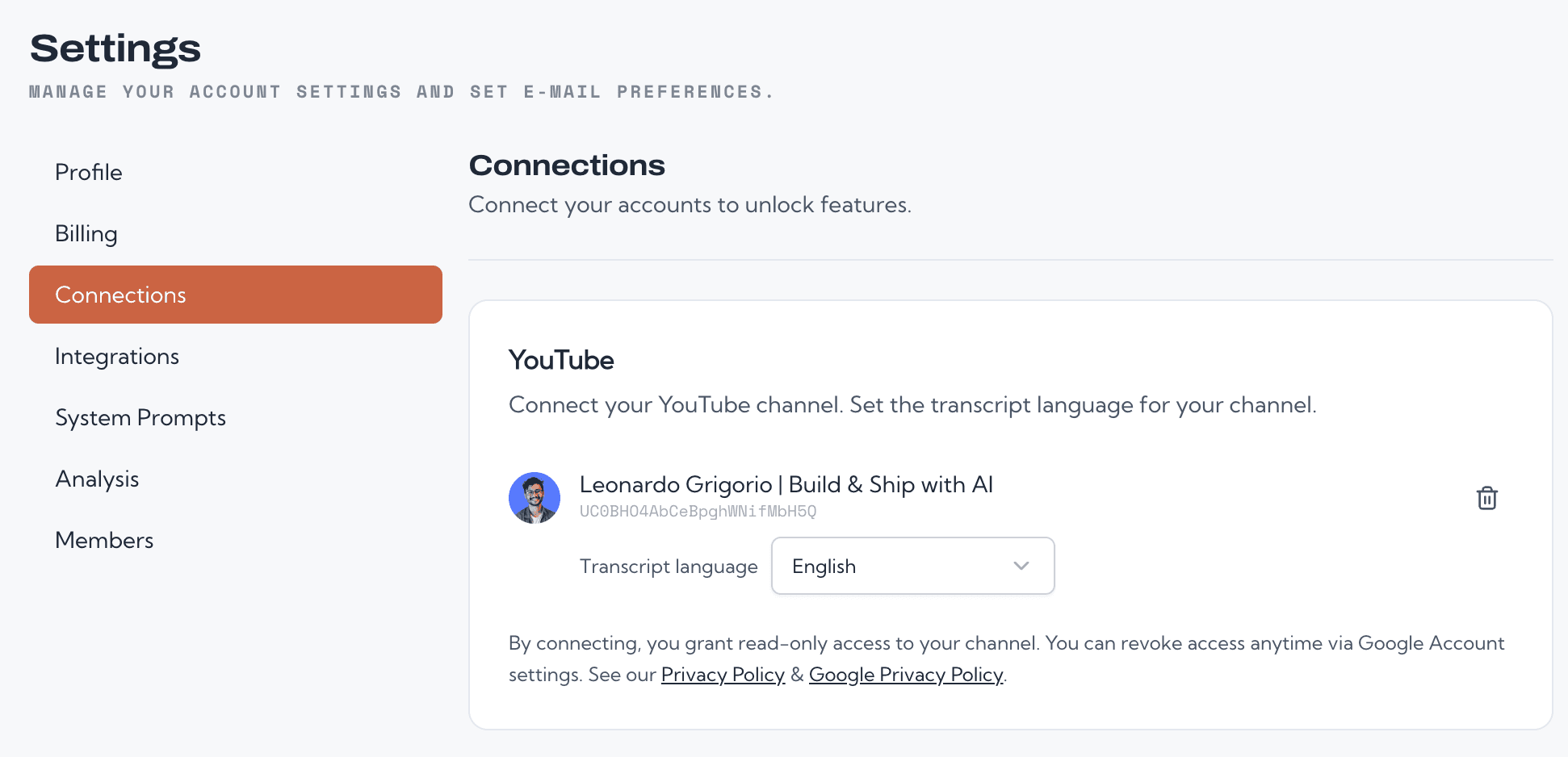
- We only read your video list and transcripts. Prepostr cannot edit, delete, or upload anything to your channel. Ever.
- No channel management permissions
- Unlike most competitors, we never ask for permissions to manage your channel, playlists, or comments. We request only read-only YouTube permissions.
- Revoke anytime
- Disconnect your channel from Prepostr or revoke access directly from your Google Account settings at any time.
- Transparent scopes
- We request only the minimum OAuth scopes needed: read your channel info and read your video list. Nothing more.
From the builder
I built this because I needed it
I run a talking head channel myself. Prepostr started as my own research desk: I was tired of finding out a topic was hot two weeks late, and of packaging videos on instinct while the answers sat in public data.
Everything on this page is the workflow I run on my own videos every week. The outlier score weighs recency because the standard formula kept missing fresh breakouts. The thumbnail reader exists because I was screenshotting competitors' thumbnails into a notes app.
Prepostr is in early launch, which is the best time to join. Your feedback lands straight on the roadmap, usually within days, and you get direct access to the person building the product.
Leonardo Grigorio
Builds Prepostr, posts videos weekly
Simple pricing
Both plans include the full product. Pick by how much you publish and how many channels you track.
Standard
One channel, the full workflow.
- +Full research: outlier scoring, thumbnail text, topic momentum
- +Weekly AI analysis and instant outlier alerts by email
- +Track 5 competitor channels
- +1 workspace (1 channel)
- +500K AI tokens per month
- +Video packaging plus X, LinkedIn, and blog repurposing
- +Voice and style guide from your videos
Premium
More channels, more competitors, more volume.
- +Everything in Standard
- +Up to 3 workspaces (3 channels)
- +Track 15 competitor channels
- +2M AI tokens per month
- +Priority support
Self-serve billing through Stripe. Cancel anytime. Read-only YouTube access.
Frequently asked questions
Stop guessing what to post next.
Connect your channel, let Prepostr read your niche, and package every video with the research behind it. Setup takes minutes.
Read-only access. Cancel anytime.